Within Study First
Can App Blockers Save the Study Start?
Digital friction works best when it slows the first scroll without blocking the tools a student genuinely needs.
On this page
- What Focus mode and app limits can actually do
- Which apps to pause before studying
- How to leave useful phone functions available
Page outline Jump by section
Introduction
Can app blockers save the study start? Often, yes—but not because they create motivation. Their main value is that they insert friction between a student and the easiest distraction at exactly the moment a study session begins. When the first impulse is to open social media, news, messaging feeds or short-video apps, a blocker can turn an automatic action into a conscious decision. That small pause is often enough to let the planned study task win instead.
 The evidence suggests that notifications, app access and constant connectivity can fragment attention, while tools that suppress interruptions or temporarily remove access to distracting apps can support longer periods of focused work. The most effective systems are usually not total lockdowns. They block the highest-risk distractions while leaving genuinely useful study tools available. PMC[2interruptions.net]interruptions.netds, we explored whether such interruptions might be causing inattention and hyperactivity—symptoms associated…Read more…
What Focus mode and app limits can actually do
Focus modes and app blockers work by changing the environment rather than changing personality. Instead of relying on willpower every time a phone is picked up, they make distracting options harder to reach.
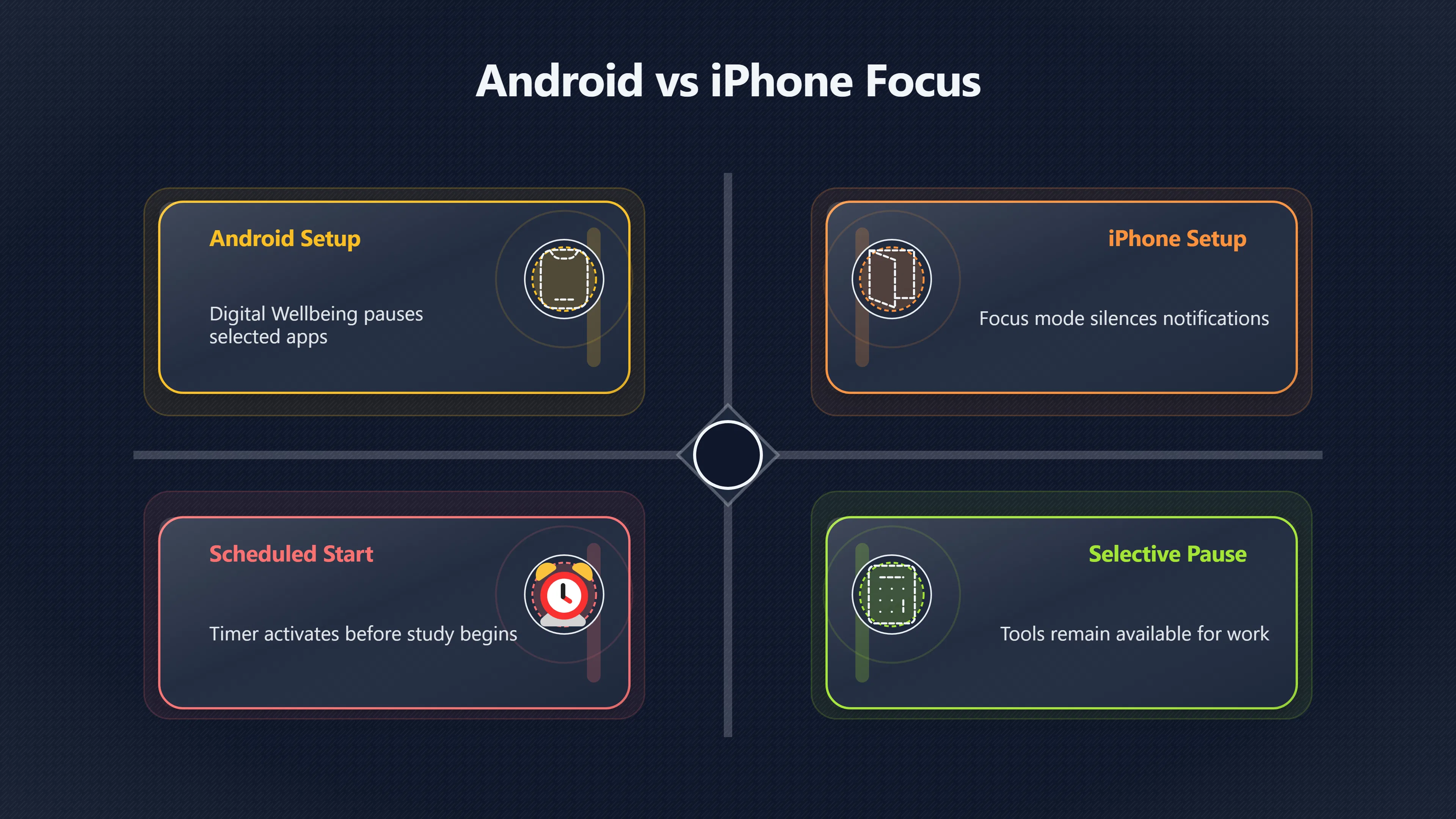
On Android, Digital Wellbeing’s Focus mode allows selected apps to be paused temporarily. When active, the chosen apps cannot be used and their notifications are suppressed. Schedules can also activate automatically before planned study periods.[Google Help]support.google.com· Tap Digital Wellbeing & parental controls and then · Choose which apps you want to pause. When Focus mode is on, you can't use…[Google Help]support.google.com· Tap Digital Wellbeing & parental controls and then · Choose which apps you want to pause. When Focus mode is on, you can't use…
On iPhone, Focus and Screen Time provide similar functions. Users can reduce notifications, limit app access, schedule restrictions and customise which home screens remain visible during focused work.[Apple Support]support.apple.comApple SupportSet up a Focus on iPhoneSet up a Focus on iPhone. Focus is a feature that helps you concentrate on a task by minimizing dist…[Apple Support]support.apple.comApple SupportSet up a Focus on iPhoneSet up a Focus on iPhone. Focus is a feature that helps you concentrate on a task by minimizing dist…
The important point is that these tools are not primarily designed to stop distraction forever. They are designed to protect the transition into work. A student who survives the first ten minutes without opening a feed is often in a much stronger position than a student who begins by scrolling and hopes to switch later.
Research on smartphone interruptions helps explain why this matters. Notifications can disrupt cognitive control and attention, while notification suppression has been associated with longer periods of uninterrupted task engagement in educational settings.[PMC]pmc.ncbi.nlm.nih.govThe effects of smartphone notifications on cognitive control…by JD Upshaw · 2022 · Cited by 48 — The current study examined the eff…[arXiv]arxiv.orgOpen source on arxiv.org.
Why friction matters more than perfect blocking
A common mistake is assuming that a blocker must be impossible to bypass in order to work.
Behaviourally, even a small obstacle can be valuable. If opening a distracting app requires dismissing a warning, waiting for a timer, entering a passcode or deliberately disabling Focus mode, the action is no longer automatic. The student is forced to recognise the choice being made.
This matters because many distractions are not planned. They begin with a reflexive tap. Research into digital wellbeing tools suggests that features such as app pausing, usage limits and even grayscale displays can reduce phone use for at least some users, largely by making habitual behaviours less rewarding or less automatic.[PMC]pmc.ncbi.nlm.nih.govEvaluating the Effectiveness of Apps Designed to Reduce…by FI Rahmillah · 2023 · Cited by 29 — Specifically, the grayscale feature…
Which apps to pause before studying
The best blocker list is usually shorter than students expect.
Many people try to block everything and then become frustrated when they need a legitimate tool. A more effective approach is to identify the apps most likely to trigger an unplanned attention shift.
For most students, the highest-priority candidates are:
- Short-video and endless-feed platforms.
- Social networking apps.[facebook.com]facebook.comyour phone has a built in focus mode under digital wellbeing that blocks every dSelect which apps to block like social media and games then tap Start. Those apps…Read more…
- Entertainment and streaming apps.
- Mobile games.
- Shopping and deal-browsing apps.
- News apps that encourage repeated checking.
- Non-essential messaging groups and community chats.
By contrast, some apps are often worth leaving available:
- Calendar and scheduling tools.
- Authentication apps used for university systems.
- Learning management systems.[arxiv.org]arxiv.orgA Survey of Attention Management Systems in Ubiquitous Computing EnvironmentsJune 18, 2018…
- Note-taking applications.
- Dictionaries, calculators and reference tools.
- Transport, safety or emergency services.
The goal is not maximum restriction. The goal is selective restriction. A study session fails less often because a calculator app was available than because a social feed was available.

Beware of the disguised distraction
Some of the most powerful distractions are not entertainment apps at all.
A student may unlock a phone intending to check a timetable, open email or look up one fact, then encounter notifications, recommendations or unrelated content along the way. Attention-management researchers describe this broader problem as attention fragmentation: a task becomes interrupted by competing information streams before the original goal is completed.[arXiv]arxiv.orgSource details in endnotes.
For that reason, it can be useful to silence notifications even from apps that remain accessible for study purposes.
How to leave useful phone functions available
The strongest study setup is usually not a complete digital shutdown. Modern studying often requires access to course materials, university systems, cloud storage, messaging with project partners or online references.
A practical configuration might look like this:
FunctionAvailable during study?ReasonCourse materialsYesDirectly supports learningCalendarYesHelps manage deadlinesCalculator and reference toolsYesRequired for many subjectsFamily emergency contactsYesImportant communicationSocial media feedsNoHigh distraction riskStreaming servicesNoHigh distraction riskGamesNoHigh distraction riskPromotional notificationsNoNo study value
Modern Focus systems are designed around this principle. Android Focus mode pauses selected apps rather than locking the entire phone, while Apple’s Focus tools allow custom notification and home-screen configurations.[apple]education.apple.comApple Education CommunitySupporting Digital Wellbeing and Time ManagementThe built-in functionality of 'Focus' can help students to conce… Education Community[Google Help]support.google.com· Tap Digital Wellbeing & parental controls and then · Choose which apps you want to pause. When Focus mode is on, you can't use…[Google Help]support.google.com· Tap Digital Wellbeing & parental controls and then · Choose which apps you want to pause. When Focus mode is on, you can't use…
This selective approach also reduces the temptation to disable the system completely. If students can still access the tools they genuinely need, they are less likely to abandon the setup after a few days.
Why scheduled blockers often outperform manual ones
A blocker activated only after distraction starts is often too late.
Many students obtain better results by scheduling Focus mode to begin automatically before a planned study session. Android and iPhone both support scheduled activation of their focus features.[Google Help]support.google.com· Tap Digital Wellbeing & parental controls and then · Choose which apps you want to pause. When Focus mode is on, you can't use…[Google Help]support.google.com· Tap Digital Wellbeing & parental controls and then · Choose which apps you want to pause. When Focus mode is on, you can't use…
The advantage is subtle but important. The decision to block distractions is made in advance, when intentions are clear. The student does not need to negotiate with themselves at the moment temptation appears.
This follows a broader principle from behaviour change: systems work better when the desired action is prepared before the critical moment arrives. The phone enters study mode automatically, and the student begins work without having to make another decision.
Where app blockers fall short
App blockers are useful, but they are not a complete solution.
Some students simply disable them. Others replace one distraction with another. A blocked social-media app can quickly become compulsive email checking, unnecessary web browsing or repeated switching between study resources.
Research on digital wellbeing interventions also shows mixed results. Some tools help reduce problematic phone use, while others produce little change. Outcomes depend heavily on the individual and on whether the tool is paired with a clear purpose.[PMC]pmc.ncbi.nlm.nih.govThe effects of smartphone notifications on cognitive control…by JD Upshaw · 2022 · Cited by 48 — The current study examined the eff…
The most reliable pattern is that blockers help when they support a specific action. “Don’t use my phone” is vague. “Start the first practice problem before any social media” gives the blocker a concrete job to do.
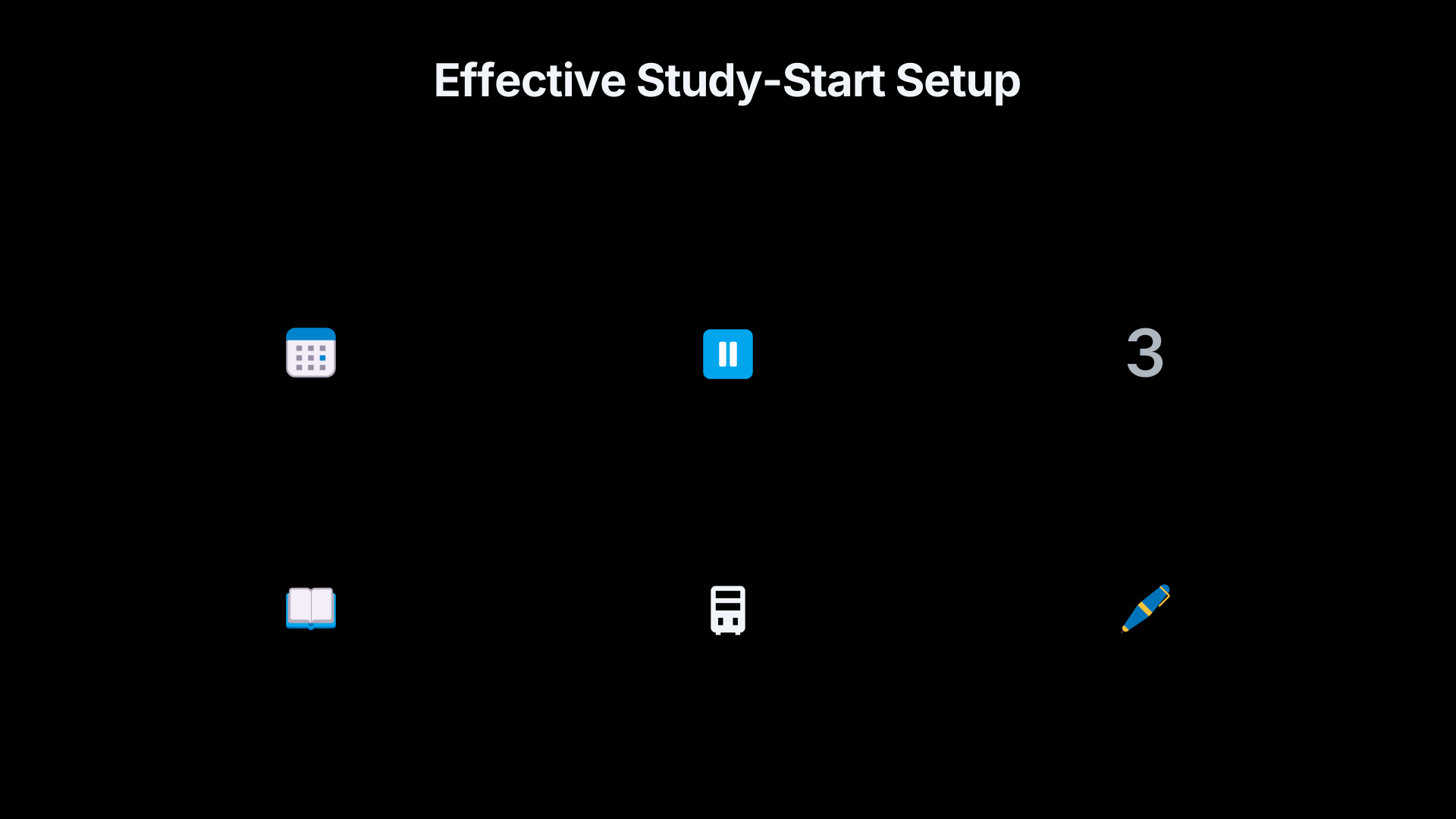
The most effective study-start setup
For most students, a high-value configuration is surprisingly simple:
- Schedule Focus mode to activate before study time.[appblock.app]appblock.appFocus mode appApp & Website Blocker for…Boost your focus with AppBlock's Focus Mode. ✔️ Block distracting apps and websites. ✔️ Create cu…
- Pause social media, entertainment and gaming apps.
- Silence non-essential notifications.
- Leave academic and practical tools available.
- Place the phone out of immediate reach.
- Start a clearly defined first study task within the first minute.
This approach does not depend on becoming perfectly disciplined. It depends on making the first scroll slightly harder and the first study action slightly easier. For protecting the start of a study session, that small difference is often enough to change what happens next.[arXiv]arxiv.orgSource details in endnotes.[Google Help]support.google.com· Tap Digital Wellbeing & parental controls and then · Choose which apps you want to pause. When Focus mode is on, you can't use…[Google Help]support.google.com· Tap Digital Wellbeing & parental controls and then · Choose which apps you want to pause. When Focus mode is on, you can't use…
Amazon book picks
Further Reading
Books and field guides related to Can App Blockers Save the Study Start?. Use these as the next step if you want deeper reading beyond the article.
Digital Minimalism
Directly addresses managing apps, screens, and technology habits that interfere with studying.
Indistractable
Explains practical systems for resisting digital interruptions and staying on task.
Deep Work
Shows how to create distraction-free focus sessions similar to the goals of app blockers.
Atomic Habits
Rating: 3.5/5 from 7 Google Books ratings
Covers environment design and friction reduction, the same principles behind blocking distracting apps.
eBay marketplace picks
Marketplace Samples
Example marketplace items related to this page. Use the search link to explore similar finds on eBay.

Endnotes
1.
Source: pmc.ncbi.nlm.nih.gov
Link:https://pmc.ncbi.nlm.nih.gov/articles/PMC9671478/
Source snippet
The effects of smartphone notifications on cognitive control...by JD Upshaw · 2022 · Cited by 48 — The current study examined the eff...
2.
Source: interruptions.net
Link:https://interruptions.net/literature/Kushlev-CHI16.pdf
Source snippet
ds, we explored whether such interruptions might be causing inattention and hyperactivity—symptoms associated...Read more...
3.
Source: arxiv.org
Link:https://arxiv.org/abs/2605.22657
4.
Source: support.google.com
Link:https://support.google.com/android/answer/9346420?hl=en
Source snippet
· Tap Digital Wellbeing & parental controls and then · Choose which apps you want to pause. When Focus mode is on, you can't use...
5.
Source: support.google.com
Link:https://support.google.com/android/answer/9346420?hl=en-GB
Source snippet
Open your device's Settings app. Tap Digital Wellbeing and parental controls and then Focus mode. Choose which apps you...Read more...
6.
Source: android.com
Title: Digital Wellbeing
Link:https://www.android.com/digital-wellbeing/
Source snippet
For getting in the zone and blocking out distractions. Focus mode lets you select apps to pause temporarily. So if you want to tur...
7.
Source: support.apple.com
Link:https://support.apple.com/guide/iphone/set-up-a-focus-iphd6288a67f/ios
Source snippet
Apple SupportSet up a Focus on iPhoneSet up a Focus on iPhone. Focus is a feature that helps you concentrate on a task by minimizing dist...
8.
Source: support.apple.com
Link:https://support.apple.com/guide/iphone/get-started-with-screen-time-iphbfa595995/ios
Source snippet
started with Screen Time on iPhoneScreen Time also lets you schedule time away from the screen and set limits for app use. Turn on Screen...
9.
Source: education.apple.com
Link:https://education.apple.com/resource/250011580
Source snippet
Apple Education CommunitySupporting Digital Wellbeing and Time ManagementThe built-in functionality of 'Focus' can help students to conce...
10.
Source: pmc.ncbi.nlm.nih.gov
Link:https://pmc.ncbi.nlm.nih.gov/articles/PMC10498313/
Source snippet
Evaluating the Effectiveness of Apps Designed to Reduce...by FI Rahmillah · 2023 · Cited by 29 — Specifically, the grayscale feature...
11.
Source: play.google.com
Title: Play Digital Wellbeing
Link:https://play.google.com/store/apps/details?hl=en&id=com.google.android.apps.wellbeing
Source snippet
Google PlayDigital Wellbeing - Apps on Google PlayDaily app timers let you set limits for how much you use apps.... Focus mode lets you...
12.
Source: arxiv.org
Link:https://arxiv.org/abs/1806.06771
Source snippet
A Survey of Attention Management Systems in Ubiquitous Computing EnvironmentsJune 18, 2018...
Published: June 18, 2018
13.
Source: arxiv.org
Link:https://arxiv.org/abs/1907.04739
14.
Source: support.apple.com
Link:https://support.apple.com/en-us/108806
Source snippet
Screen Time to manage your child's iPhone or iPadJan 27, 2026 — With Screen Time, you can see how much time your child spends on their de...
15.
Source: developer.apple.com
Link:https://developer.apple.com/documentation/screentimeapidocumentation
Source snippet
Time Technology FrameworksScreen Time Technology Frameworks. Empower users to manage their device settings and usage while maintaining us...
16.
Source: android.com
Link:https://www.android.com/intl/en_in/digital-wellbeing/
Source snippet
Digital WellbeingFor getting in the zone and blocking out distractions. Focus mode lets you select apps to pause temporarily. So if you w...
17.
Source: play.google.com
Link:https://play.google.com/store/apps/details?hl=en_US&id=com.google.android.apps.wellbeing
Source snippet
Wellbeing - Apps on Google Play• Focus mode lets you pause distracting apps with a single tap so you can better focus your time. You can...
18.
Source: appblock.app
Title: Focus mode app
Link:https://appblock.app/focus-mode-app/
Source snippet
App & Website Blocker for...Boost your focus with AppBlock's Focus Mode. ✔️ Block distracting apps and websites. ✔️ Create cu...
19.
Source: theguardian.com
Title: apple ios12 screen time apps how much spent phone digital wellbeing
Link:https://www.theguardian.com/technology/2018/jun/04/apple-ios12-screen-time-apps-how-much-spent-phone-digital-wellbeing
Source snippet
Apple's new 'digital wellbeing' tools aim to help reduce...4 Jun 2018 — A new app called Screen Time will offer iPhone and iPad users a...
20.
Source: blog.google
Title: android focus mode
Link:https://blog.google/products-and-platforms/platforms/android/android-focus-mode/
Source snippet
Minimize distractions and get things done with Android's...4 Dec 2019 — Focus mode is available on all devices that currently have Digit...
Additional References
21.
Source: researchgate.net
Link:https://www.researchgate.net/publication/376411302_Focus_mode_for_digital_wellbeing_A_cognitively_informed_design_for_a_smartphone_launcher
Source snippet
(PDF) Focus mode for digital wellbeing: A cognitively...12 Dec 2023 — Our study focuses on the pervasive menu-grid interaction for smart...
22.
Source: facebook.com
Link:https://www.facebook.com/TribuneTrends/posts/a-recent-study-has-discovered-an-interesting-phenomenon-of-smartphone-notificati/122253543740252649/
Source snippet
Tribune TrendsA ScienceAlert study found that short notifications can cause task-irrelevant thoughts or mind wandering, which damages tas...
23.
Source: facebook.com
Link:https://www.facebook.com/groups/2788777944712613/posts/4216228681967525/
Source snippet
Using focus mode to boost productivity on your phoneOpen Settings on your phone. 2. Scroll down and tap Digital Wellbeing & parental cont...
24.
Source: youtube.com
Link:https://www.youtube.com/watch?v=7yly_XZXBb4
Source snippet
Android Digital Wellbeing: Introducing Focus modeNew Digital Wellbeing feature Focus mode lets you put a pause on apps you find distracti...
25.
Source: youtube.com
Link:https://www.youtube.com/watch?v=dODC479FnHE
Source snippet
How To Use Digital Wellbeing App on AndroidThis video shows you how to use Digital Wellbeing on Android to track your screen time and con...
26.
Source: youtube.com
Link:https://www.youtube.com/watch?v=nr_LWUCr_hA
Source snippet
How to Set App Time Limits on iPhone (Two Different Ways To...Your iPhone has built-in tools to set limits for how much time you're allo...
27.
Source: lotusinternational.ac
Link:https://lotusinternational.ac/wp-content/uploads/7_April_2026.pdf
Source snippet
Focus Mode: Gives customers an opportunity to begin timed sessions and block distracting apps.Read more...
28.
Source: instagram.com
Link:https://www.instagram.com/p/DV84RG1GTyr/
Source snippet
disrupt cognitive processing for up to 7 seconds per alert, reducing...Read more...
29.
Source: facebook.com
Title: your phone has a built in focus mode under digital wellbeing that blocks every d
Link:https://www.facebook.com/Digitalworld055/posts/your-phone-has-a-built-in-focus-mode-under-digital-wellbeing-that-blocks-every-d/122292396116020811/
Source snippet
Select which apps to block like social media and games then tap Start. Those apps...Read more...
30.
Source: parental-control.net
Title: how to limit your childs screen time on android and ios
Link:https://parental-control.net/en/blog/article/how-to-limit-your-childs-screen-time-on-android-and-ios
Source snippet
Focus Mode allows parents to temporarily disable distracting apps, helping children concentrate on their studies or other important...
Topic Tree