Within Better Change
Do App Blockers Actually Help?
Digital friction can turn attention goals into enforceable boundaries when memory is weak.
On this page
- Friction versus prohibition
- Scheduling blocks
- What to do after bypassing

Page outline Jump by section
Introduction
App blockers help when they turn a vague intention — “I should stop checking this” — into a boundary that is already in place when attention is weakest. They are not magic discipline apps, and they do not solve every cause of overuse. Their practical value is narrower and more useful: they add friction at the exact moment when a distracting app, site or feed would otherwise be opened automatically.
The evidence is strongest for app blockers as part of behaviour design, not as a moral cure for distraction. Studies of digital self-control tools suggest that blocking, delays, scheduling and usage feedback can reduce unwanted use, especially when the person has chosen the target apps and the block fits a real routine. The main risk is either too little friction, which is easy to ignore, or too much prohibition, which feels punitive and gets abandoned. The best version is a planned, adjustable barrier that protects a specific time, place or activity.[PNAS]pnas.orgDirecting smartphone use through the self-nudge app one…by DJ Grüning · 2023 · Cited by 93 — The intervention effect of the app is…[ScienceDirect]sciencedirect.comThe Goldilocks level of support: Using user reviews, ratings…by U Lyngs · 2022 · Cited by 55 — We analyse ratings & revie…
Friction beats willpower at the moment of temptation
Most people do not open distracting apps after a careful cost-benefit analysis. They open them because the gesture is fast, familiar and often emotionally cued: a pause in work, a difficult sentence, a notification, boredom in a queue, or a tiny feeling of avoidance. App blockers work by changing that moment. Instead of asking memory and motivation to intervene every time, the system interrupts the pathway.
This is why “digital friction” is often more realistic than pure prohibition. Friction can mean a full block, but it can also mean a delay, a breathing prompt, a password held by someone else, a scheduled lockout, a greyscale mode, or moving an app off the home screen. The point is not to make technology unusable. It is to make the unwanted action less automatic than the intended action.
A clear example comes from research on the “one sec” app, a self-nudge tool that inserts a short delay before selected apps open. In a large field study, the app reduced actual openings of target apps by 57% after six consecutive weeks. The intervention combined delay, a breathing cue and a prompt to reconsider the intended app use, so the effect should not be attributed to delay alone; still, it shows the practical power of interrupting the first tap rather than relying on later regret.[PNAS]pnas.orgDirecting smartphone use through the self-nudge app one…by DJ Grüning · 2023 · Cited by 93 — The intervention effect of the app is…
The same logic appears in broader reviews of digital self-control tools. Researchers have found that these tools use several mechanisms: blocking access, setting goals, showing usage data, adding reminders, rewarding restraint, or making distraction socially visible. The evidence base is still uneven, but interventions that change the action environment tend to be more promising than tools that merely increase awareness.[arXiv]arxiv.orgSource details in endnotes.[Wiley Online Library]onlinelibrary.wiley.comWiley Online LibraryDigital self‐control interventions for distracting media…13 Aug 2021 — These interventions use different approache…

Friction versus prohibition
A useful app blocker does not have to be the harshest one. In fact, the design problem is finding the right amount of resistance for the behaviour being changed. A five-second pause may be enough for compulsive app opening. A locked work-session block may be better for writing, study or deep work. A full mobile-internet block may be appropriate for a short reset, but too disruptive for ordinary weeks.
Research on user reviews of 334 digital self-control tools described this as a “Goldilocks” problem: users want support that is strong enough to change behaviour but not so coercive that it feels hostile or unusable. The same study found that users want tools to match their personal definitions of distraction, because the same app can be useful in one context and harmful in another. WhatsApp may be necessary for family logistics at 6 pm, but a distraction during an exam revision session. YouTube may be education at 3 pm and sleep sabotage at midnight.[ScienceDirect]sciencedirect.comThe Goldilocks level of support: Using user reviews, ratings…by U Lyngs · 2022 · Cited by 55 — We analyse ratings & revie…
That distinction matters because prohibition can create brittle systems. If every block feels like a fight, the user learns to hunt for loopholes: another browser, another device, deleting the extension, changing the time, overriding a limit, or moving the habit to a different app. Friction works better when it preserves enough agency to feel self-chosen while still making the impulsive path inconvenient.
Apple and Google’s built-in tools illustrate the tradeoff. Apple’s Screen Time includes Downtime and App Limits, and Apple notes that Screen Time limits can be ignored by default unless stronger settings are used. Android’s Digital Wellbeing includes app timers, usage dashboards, Bedtime mode and Focus mode, with some devices also supporting a PIN for app time limits. These are useful first-line tools, but their default softness means they often work best for awareness and light friction rather than hard commitment.[Google Play]play.google.comPlay Digital WellbeingPlay Digital Wellbeing[Apple Support]support.apple.comSource details in endnotes.[Google Help]support.google.comSource details in endnotes.
A practical way to choose the level of friction is to match it to the failure pattern:
- Autopilot opening: use a short delay, breathing prompt or app-opening confirmation.
- Time leakage: use daily app timers or session limits.
- Work avoidance: use scheduled website and app blocks during focus periods.
- Late-night scrolling: use Downtime, Bedtime mode, router controls, or a separate charging location.
- Repeated bypassing: use locked sessions, a separate passcode, accountability, or device-level restrictions.
- Severe distress or compulsive use: treat app blockers as support, not a substitute for professional help or wider changes to sleep, stress, social connection and daily structure.
Scheduling blocks
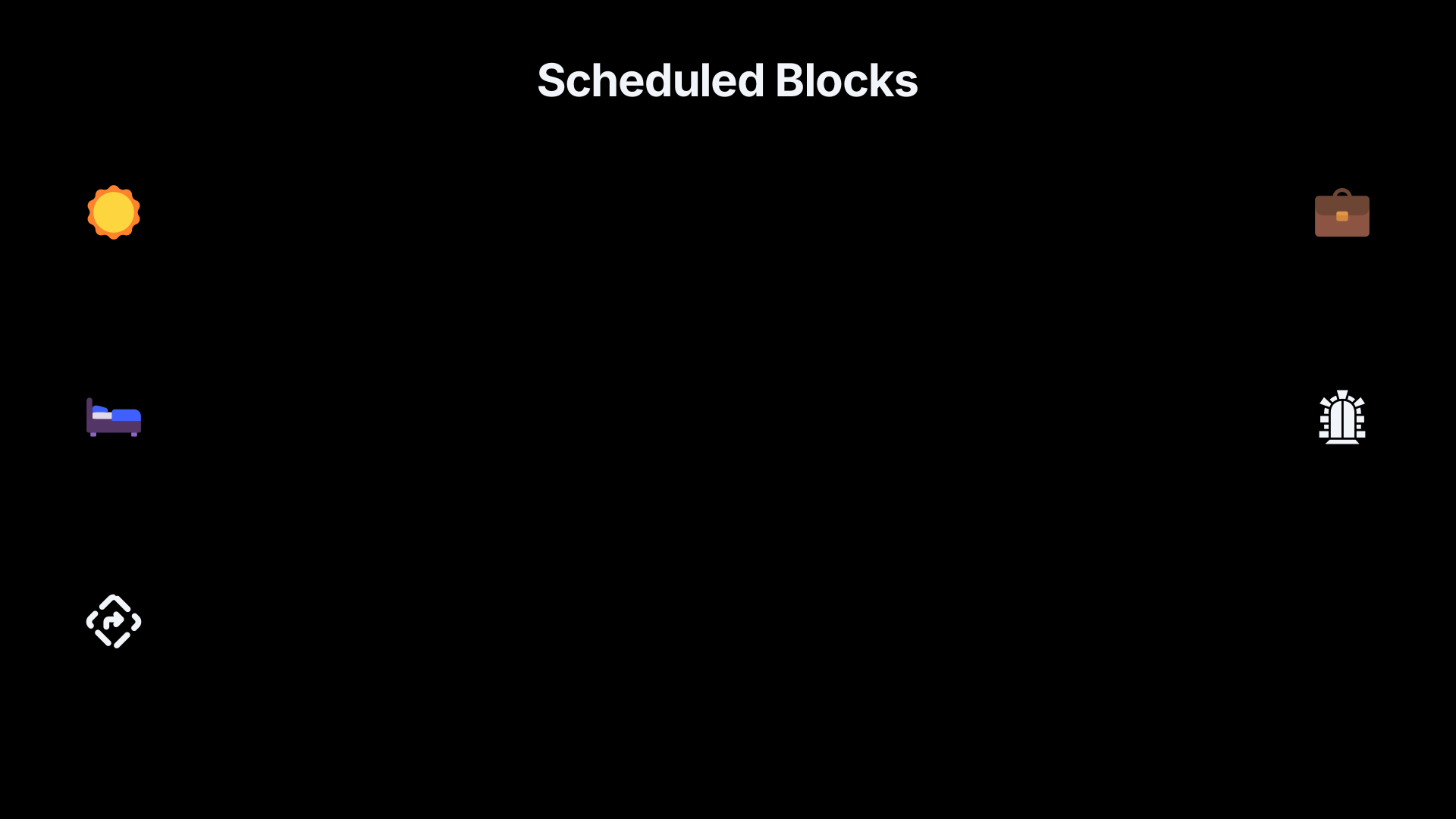
Scheduling is where app blockers become most useful for self improvement that works. A block set in advance is a commitment device: the present self protects the future self from a predictable lapse. The key is that the block is attached to a real routine, not to a fantasy version of the week.
The best schedule starts with one recurring danger zone. That might be social media before work, news during lunch, YouTube after 10 pm, shopping apps on payday, or messaging apps during a study block. A narrow scheduled block is often better than an all-day ban because it answers a specific behavioural question: “What do I want this time to be for?”
A workplace study of distraction-blocking software gives a useful anchor. Participants spent five days in a baseline condition and five days using software that blocked online distractions. With blocking software, they rated their productivity higher and reported being able to focus for longer; the people who benefited most were those most distracted by social media. Interviews also found a behavioural substitution effect: some people shifted from online distractions to physical breaks, such as leaving the office.[Microsoft]microsoft.comhow blocking distractions affects workplace focus and productivityhow blocking distractions affects workplace focus and productivity
That last point is important. A good block should not simply remove a coping mechanism. It should make room for a better one. If a person uses social media to recover from demanding work, a scheduled blocker needs a replacement break: stand up, make tea, walk outside, stretch, message one person intentionally, or do nothing for three minutes. Otherwise the blocker may feel like deprivation rather than support.
For implementation, the strongest schedules tend to be concrete:
Protect the start of the day. Block social apps, news and email for the first 30–90 minutes if the morning is meant for exercise, writing, planning or family time. This works because the first digital action often sets the attentional tone for the day.
Protect deep-work blocks. Use blocks that begin before the work session starts, not after distraction has already begun. For example, a 9.00–11.00 block for social media and video sites is more reliable than deciding at 9.17 that today will be different.
Protect sleep. Schedule a nightly block before bedtime, not at the exact moment of intended sleep. If the block starts at 10.00 pm and sleep is at 10.45 pm, it creates a wind-down buffer rather than a last-second argument.
Protect transitions. Many distractions happen between tasks. A short app block after opening the laptop, arriving home, or finishing dinner can prevent the “quick check” that becomes an hour.
Keep an escape route for genuine needs. Blocks should not prevent emergency calls, essential maps, banking, travel tickets or two-factor authentication. Overly broad blocks train people to disable the system.

What the evidence can and cannot promise
The evidence for app blockers is promising but not uniform. Reviews of digital self-control interventions have repeatedly noted that the field includes many commercial tools but fewer rigorous long-term trials. Some studies show meaningful reductions in use, while others suggest that awareness-only tools are weak and that effectiveness depends heavily on design, context and the user’s own motivation.[ACM Digital Library]dl.acm.orgSource details in endnotes.[PubMed Central]pmc.ncbi.nlm.nih.govSource details in endnotes.
One reason the evidence is mixed is that “screen time” is not one behaviour. Blocking TikTok during revision, limiting work email after dinner, preventing gambling-site access, delaying Instagram, and removing mobile internet for two weeks are different interventions. They target different cues, rewards and harms. A single headline about app blockers “working” or “not working” usually hides this variation.
A striking recent experiment found that blocking mobile internet on smartphones for two weeks reduced smartphone use and improved subjective wellbeing, mental health and sustained attention. Participants could still make calls and send texts, and they could use the internet on other devices, so the intervention specifically reduced constant phone-based internet access rather than removing the internet from life altogether. However, adherence was a challenge: not everyone who agreed to the intervention fully maintained the block.[OUP Academic]academic.oup.comSource details in endnotes.[PubMed]pubmed.ncbi.nlm.nih.govAfterward, participants also reportedDirecting smartphone use through the self-nudge app one…by DJ Grüning · 2023 · Cited by 93 — In sum, one sec decreased users' ac…
That makes the practical lesson more modest than “delete the internet”. The lesson is that constant access has costs for some people, and stronger friction can reveal what life feels like when the phone is no longer the default portal for every impulse. But the same study also shows that strong blocks are hard to sustain. For everyday self improvement, a durable scheduled boundary may beat an impressive but short-lived digital detox.
There is also evidence that soft commitment devices can reduce use. In an experimental study of 629 participants, people tended to spend more time on phones and social media than they predicted or wanted, and those who adopted limits significantly reduced phone and Facebook use. This fits a common lived experience: the problem is not always ignorance. Many people already know what they want; they need a system that makes the chosen limit easier to keep.[ScienceDirect]sciencedirect.comThe Goldilocks level of support: Using user reviews, ratings…by U Lyngs · 2022 · Cited by 55 — We analyse ratings & revie…
What to do after bypassing
Bypassing a blocker is not proof that the method has failed. It is diagnostic information. The important question is not “Why am I so weak?” but “What did the bypass teach me about the system?”
There are several common bypass patterns, and each points to a different fix:
- The block was too easy to dismiss. Move from a reminder to a delay, from a delay to a scheduled block, or from a soft block to a locked session.
- The block was too broad. Narrow it. Blocking the whole internet may be unrealistic if the real problem is one feed, one game, one site or one time window.
- The replacement was missing. Add a next action: open the document, read the book on the desk, walk round the block, put the phone on charge outside the bedroom.
- The schedule fought real life. Adjust the time. A block that clashes with childcare, travel, work messages or medical needs will be bypassed for good reasons.
- The emotional trigger was stronger than the tool. Identify whether the app is being used for stress, loneliness, tiredness, avoidance or anger. The blocker can interrupt the habit, but it cannot by itself meet the underlying need.
- The loophole was obvious. Block across devices, remove alternate browsers, use a separate passcode, or ask someone else to hold the override.
A useful rule is to revise the blocker once, not repeatedly, in the moment. If the block fails at 3.20 pm, make a note and return to the intended task. Change the settings later when the urge has cooled. This preserves the blocker as a commitment tool rather than turning it into another object of fiddling.
The most robust systems also distinguish between a lapse and an exception. A lapse is an unplanned bypass that weakens the rule. An exception is planned in advance: “I can use YouTube for a recipe while cooking”, “I can use Instagram for posting my business update between 4.00 and 4.15”, or “I can unblock maps while travelling.” Clear exceptions reduce the temptation to treat every urge as a special case.
A practical setup that usually works better than a blanket ban
The most effective app-blocking setup is usually layered. It does not rely on one heroic setting. It combines light friction for ordinary moments, stronger blocks for danger zones, and a recovery plan for bypasses.
Start with a one-week experiment:
- Pick one target behaviour. Choose the app, site or category that most often displaces something you value. Do not begin with your entire digital life.
- Choose the protected window. Attach the block to a recurring situation: first hour after waking, work blocks, study sessions, meals, or bedtime.
- Set the lowest effective friction. If a delay works, use a delay. If you keep overriding it, schedule a harder block.
- Add a replacement action. Decide what happens when the block screen appears: return to the document, stand up, breathe, read, walk, or do the next step on a written list.
- Review bypasses once a day. Do not moralise. Adjust the block, the schedule or the replacement.
- Keep useful technology available. Allow calls, maps, calendar, banking, transport, work tools and other essentials unless they are part of the problem.
This approach fits the broader evidence on behaviour change: self improvement is more reliable when it changes cues, friction and feedback instead of depending on motivation alone. App blockers are valuable because they operate at the point where intention usually collapses — the instant before the tap, the search, the scroll or the “just for a minute” decision.
The best test is behavioural, not aesthetic. A blocker is helping if the desired action becomes more likely on a tired day: the essay opens before the feed, sleep begins before the next video, the walk happens before the news spiral, and breaks become deliberate rather than hijacked. When digital friction produces that shift, it is not a gimmick. It is a small piece of environment design doing exactly what self improvement needs it to do.
Amazon book picks
Further Reading
Books and field guides related to Do App Blockers Actually Help?. Use these as the next step if you want deeper reading beyond the article.
Atomic Habits
Rating: 3.5/5 from 7 Google Books ratings
Covers friction, environment design, and behavior systems.
The Power of Habit
Explains automatic behaviors that blockers are designed to interrupt.
eBay marketplace picks
Marketplace Samples
Example marketplace items related to this page. Use the search link to explore similar finds on eBay.




Endnotes
1.
Source: pnas.org
Link:https://www.pnas.org/doi/10.1073/pnas.2213114120
Source snippet
Directing smartphone use through the self-nudge app one...by DJ Grüning · 2023 · Cited by 93 — The intervention effect of the app is...
2.
Source: sciencedirect.com
Link:https://www.sciencedirect.com/science/article/pii/S1071581922000957
Source snippet
The Goldilocks level of support: Using user reviews, ratings...by U Lyngs · 2022 · Cited by 55 — We analyse ratings & revie...
3.
Source: onlinelibrary.wiley.com
Link:https://onlinelibrary.wiley.com/doi/10.1111/jcal.12581
Source snippet
Wiley Online LibraryDigital self‐control interventions for distracting media...13 Aug 2021 — These interventions use different approache...
4.
Source: arxiv.org
Link:https://arxiv.org/abs/1902.00157
5.
Source: support.apple.com
Link:https://support.apple.com/en-us/108806
6.
Source: support.google.com
Link:https://support.google.com/android/answer/9346420?hl=en
7.
Source: support.apple.com
Link:https://support.apple.com/guide/iphone/set-schedules-with-screen-time-iphb0c7313c9/ios
8.
Source: play.google.com
Title: Play Digital Wellbeing
Link:https://play.google.com/store/apps/details?hl=en&id=com.google.android.apps.wellbeing
9.
Source: microsoft.com
Title: how blocking distractions affects workplace focus and productivity
Link:https://www.microsoft.com/en-us/research/publication/how-blocking-distractions-affects-workplace-focus-and-productivity/
10.
Source: dl.acm.org
Link:https://dl.acm.org/doi/10.1145/3571810
11.
Source: academic.oup.com
Link:https://academic.oup.com/pnasnexus/article/4/2/pgaf017/8016017
12.
Source: sciencedirect.com
Link:https://www.sciencedirect.com/science/article/abs/pii/S0014292121002269
13.
Source: apps.apple.com
Link:https://apps.apple.com/us/app/freedom-control-screen-time/id1269788228
14.
Source: apps.apple.com
Link:https://apps.apple.com/us/app/freedom-screen-time-control/id1269788228
15.
Source: discussions.apple.com
Link:https://discussions.apple.com/thread/255507853
16.
Source: support.apple.com
Link:https://support.apple.com/guide/iphone/get-started-with-screen-time-iphbfa595995/ios
17.
Source: discussions.apple.com
Link:https://discussions.apple.com/thread/254579041
18.
Source: play.google.com
Link:https://play.google.com/store/apps/details?hl=en_US&id=com.stayfocused
19.
Source: chromewebstore.google.com
Link:https://chromewebstore.google.com/detail/self-control-block-sites/ncaaipdfhdijmfdfmeoagmogddhkfdec?hl=en
20.
Source: play.google.com
Link:https://play.google.com/store/apps/details?hl=en&id=cz.mobilesoft.appblock
21.
Source: chromewebstore.google.com
Link:https://chromewebstore.google.com/detail/stayfocusd-%E2%80%93-website-bloc/laankejkbhbdhmipfmgcngdelahlfoji
22.
Source: play.google.com
Link:https://play.google.com/store/apps/details?hl=en&id=com.stayfocused
23.
Source: sciencedirect.com
Link:https://www.sciencedirect.com/science/article/pii/S2214782921000324
24.
Source: sciencedirect.com
Link:https://www.sciencedirect.com/science/article/pii/S245195882600103X
25.
Source: sciencedirect.com
Link:https://www.sciencedirect.com/science/article/pii/S2352853221000286
26.
Source: sciencedirect.com
Link:https://www.sciencedirect.com/science/article/pii/S1386505625002059
27.
Source: dl.acm.org
Link:https://dl.acm.org/doi/full/10.1145/3571810
28.
Source: dl.acm.org
Link:https://dl.acm.org/doi/10.1145/3613904.3642946
29.
Source: dl.acm.org
Link:https://dl.acm.org/doi/10.1145/3123024.3124558
30.
Source: facebook.com
Title: we often blame stress or burnout for lack of focus but what if the real issue is
Link:https://www.facebook.com/jimkwikofficial/posts/we-often-blame-stress-or-burnout-for-lack-of-focus-but-what-if-the-real-issue-is/1262263855256667/
31.
Source: facebook.com
Link:https://www.facebook.com/groups/payetteforward/posts/2829326190710183/
32.
Source: facebook.com
Title: how to set a daily time limit for unproductive apps on iphone or ipad
Link:https://www.facebook.com/iDownloadBlog/posts/how-to-set-a-daily-time-limit-for-unproductive-apps-on-iphone-or-ipad/960588076686960/
33.
Source: instagram.com
Title: DVjzy5b Et QK
Link:https://www.instagram.com/reel/DVjzy5bEtQK/
34.
Source: instagram.com
Title: DS2ZV02l Hzq
Link:https://www.instagram.com/p/DS2ZV02lHzq/?hl=en
35.
Source: one-sec.app
Link:https://one-sec.app/
36.
Source: one-sec.app
Title: friction will change your behavior
Link:https://one-sec.app/blog/friction-will-change-your-behavior/
37.
Source: onlinelibrary.wiley.com
Link:https://onlinelibrary.wiley.com/doi/full/10.1111/jcal.12581
38.
Source: youtube.com
Title: Stop Mindless Scrolling: The Power of Digital Friction
Link:https://www.youtube.com/watch?v=_IARhO52I0Y
Source snippet
I'm Unplugging From Screens... While My AI Takes Notes...
39.
Source: youtube.com
Link:https://www.youtube.com/watch?v=Ub3Fabnr58o
Source snippet
A Health Coach's Guide to Managing Client Screen Time & Mental Wellbeing...
40.
Source: youtube.com
Title: A Health Coach’s Guide to Managing Client Screen Time & Mental Wellbeing
Link:https://www.youtube.com/watch?v=1We3iNJoTVY
Source snippet
The Most Powerful App To Block Digital Distractions...
41.
Source: youtube.com
Title: The Most Powerful App To Block Digital Distractions
Link:https://www.youtube.com/watch?v=v5Zc8cwr1Pw
Source snippet
Password Locker with Max Gazeroglu...
42.
Source: youtube.com
Title: Password Locker with Max Gazeroglu
Link:https://www.youtube.com/watch?v=HWYOC7zwvgs
43.
Source: pubmed.ncbi.nlm.nih.gov
Title: Afterward, participants also reported
Link:https://pubmed.ncbi.nlm.nih.gov/36795756/
Source snippet
Directing smartphone use through the self-nudge app one...by DJ Grüning · 2023 · Cited by 93 — In sum, one sec decreased users' ac...
44.
Source: pmc.ncbi.nlm.nih.gov
Link:https://pmc.ncbi.nlm.nih.gov/articles/PMC10498313/
45.
Source: pubmed.ncbi.nlm.nih.gov
Link:https://pubmed.ncbi.nlm.nih.gov/39967678/
46.
Source: inria.hal.science
Link:https://inria.hal.science/hal-04215514/document
Additional References
47.
Source: researchgate.net
Link:https://www.researchgate.net/publication/353906557Digital_self-control_interventions_for_distracting_media_multitasking-_A_systematic_review
48.
Source: researchgate.net
Link:https://www.researchgate.net/publication/389106770_Blocking_mobile_internet_on_smartphones_improves_sustained_attention_mental_health_and_subjective_well-being
49.
Source: researchgate.net
Link:https://www.researchgate.net/publication/389215642_Smartphone_screen_time_reduction_improves_mental_health_a_randomized_controlled_trial
50.
Source: researchgate.net
Link:https://www.researchgate.net/publication/398782642Digital_detox_and_the%27app-blocking_app%27_abstinence_as_a_desire-regenerating_force
51.
Source: raz-lab.org
Link:https://raz-lab.org/wp-content/uploads/2021/01/ten-steps.pdf
52.
Source: researchgate.net
Link:https://www.researchgate.net/publication/365589107_Achieving_Digital_Wellbeing_Through_Digital_Self-Control_Tools_A_Systematic_Review_and_Meta-Analysis
53.
Source: hbs.edu
Link:https://www.hbs.edu/faculty/Pages/item.aspx?num=62971
54.
Source: refubium.fu-berlin.de
Link:https://refubium.fu-berlin.de/bitstream/handle/fub188/46428/Applied%20Psych%20Health%20Well%20-%202025%20-%20Brockmeier%20-%20Effects%20of%20an%20intervention%20targeting%20social%20media%20app%20use%20on%20well%E2%80%90being.pdf
55.
Source: blocksite.co
Link:https://blocksite.co/
56.
Source: freedom.to
Link:https://freedom.to/
Topic Tree