Within Bedroom Phone
Staying Reachable Without Staying Online
People who need overnight contact can separate true emergencies from routine notifications with stricter phone settings and placement.
On this page
- Who may need exceptions to the bedroom rule
- Emergency bypass, Do Not Disturb and selected contacts
- Across the room placement versus outside the room charging
Page outline Jump by section
Introduction
A phone-free bedroom does not have to mean becoming unreachable. For many people—parents of young children, carers, people supporting vulnerable relatives, and some on-call workers—the real challenge is separating genuine emergencies from the hundreds of routine notifications that masquerade as urgent. The most effective solution is usually not keeping the phone beside the pillow. It is creating clear rules that allow a small number of important contacts and events to break through while everything else stays silent.
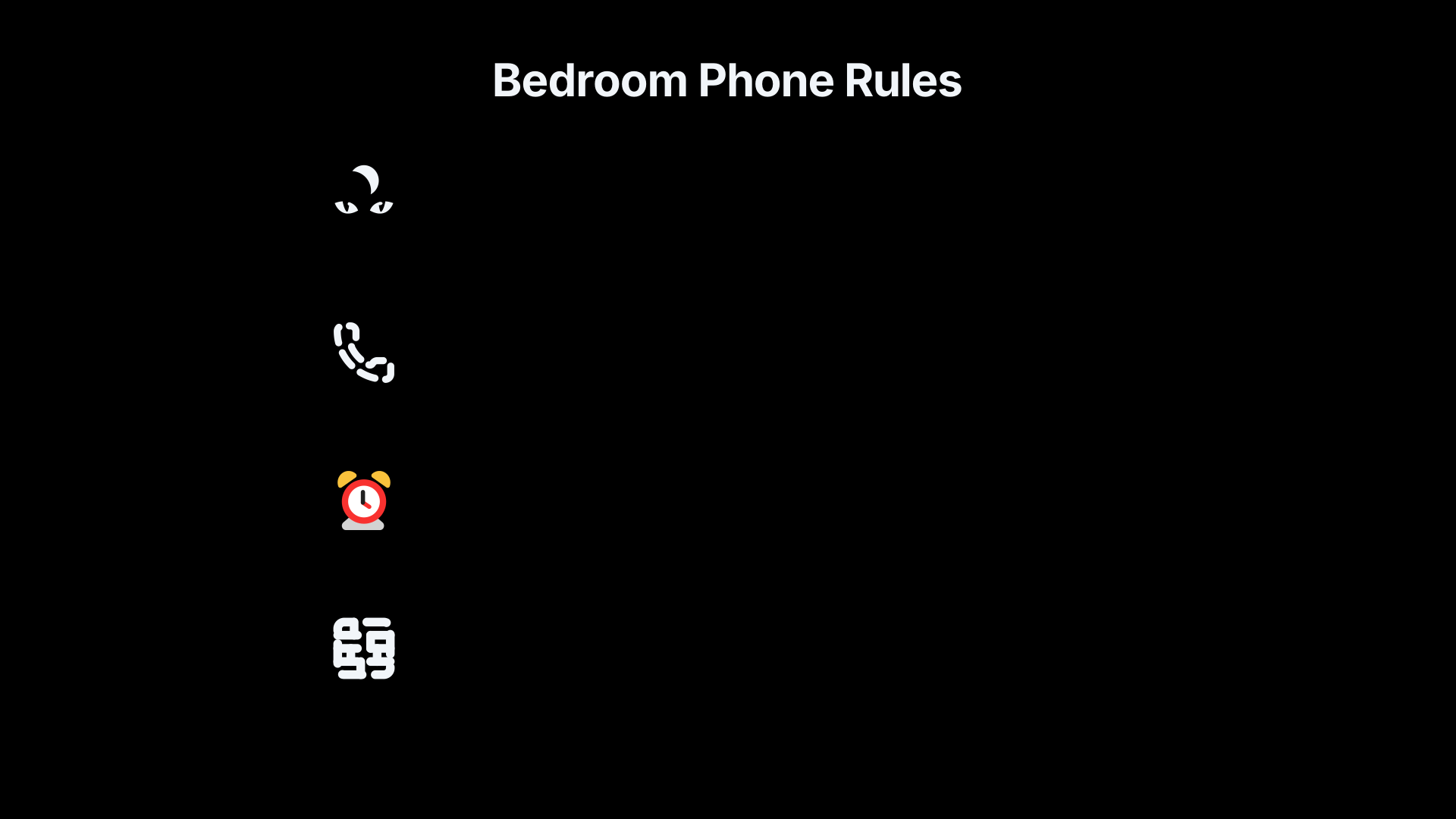 This approach preserves the main benefit of keeping the phone away from the bed: eliminating the temptation to check messages, social feeds, email, news alerts and other attention traps during the night. The goal is to remain contactable without remaining online.
Who May Need Exceptions to the Bedroom Rule
Many people can safely charge their phone outside the bedroom and ignore it until morning. Others have legitimate reasons to remain reachable overnight.
Common examples include:
- Parents whose children sleep elsewhere in the home.
- Carers responsible for elderly, disabled or medically vulnerable relatives.
- People supporting a family member during illness or crisis.
- Workers on formal on-call rotas.
- Individuals who may need to receive urgent security, safety or travel notifications.
The key distinction is that emergency availability does not require unrestricted access to every app, conversation and notification. A parent may need a call from a teenager returning home late; they do not need social media alerts at 02:00. A carer may need a call from one household; they do not need marketing emails, breaking-news notifications or group-chat chatter.
Treating all notifications as equally important creates a false choice between total availability and complete disconnection. Modern phone settings allow a middle path.
Emergency Bypass, Do Not Disturb and Selected Contacts
Most smartphones now support exception-based notification systems. Rather than leaving the device fully active overnight, users can silence almost everything while permitting specific contacts or categories of calls to break through.
On iPhone, Apple allows designated contacts to bypass silencing and Focus settings through Emergency Bypass or permitted-contact settings. Calls and messages from selected people can still alert the user even when notifications are otherwise suppressed.[Apple Support]support.apple.com· Select a contact, then tap Edit. · Tap Ringtone or Text Tone, then turn on…Read more…
On Android, Do Not Disturb settings can be configured so that calls or messages from starred or favourite contacts are allowed while other interruptions remain blocked. Android also supports additional exceptions such as alarms, calendar events or repeat callers.[InnoCaption Help Center]help.innocaption.comInno Caption Help Center Allow calls from Favorites in Do Not Disturb modeTap People. Tap Calls. Select Starred to ensure calls from your favorite contacts will bypass DND. Go back to the Settings app main page…[Google Help]support.google.comhow to enable starred contacts bypassing do not disturbI can make this work for anything but the incoming calls.Read more…
A useful governance rule is to create a deliberately small overnight allow-list. For example:
- Partner or spouse.
- Children.
- One or two close relatives.
- Any person directly involved in an active care responsibility.
- The official number used for on-call work.
The list should be reviewed periodically. Many people gradually add contacts until the exception list becomes so broad that it defeats the purpose.
Why Contact Lists Work Better Than Self-Control
The problem with a bedside phone is not merely the possibility of receiving a notification. It is the opportunity to interact with the device after receiving one.
A carefully configured emergency exception system changes the decision structure. The phone remains available for urgent communication, but routine communication never creates an invitation to start scrolling.
This distinction matters because the behavioural cost of an emergency call is acceptable. The behavioural cost of dozens of minor interruptions, each offering a path into email, messaging and social media, is much higher.
The Repeat-Caller Safety Net
Many phones also offer a repeat-caller exception. If the same number calls twice within a short period, the second call can bypass Do Not Disturb settings. This feature exists because genuine emergencies often produce repeated attempts to make contact.[Lifewire]lifewire.comIt can be toggled on from the Quick Settings menu by swiping down from the top of the screen, or via Settings under Sound & Vibration. Us…
For some households, this provides a useful backup. Even if a caller is not on the approved list, persistence can still signal urgency.
The limitation is that repeated calls can occasionally be generated by spam, automated systems or misunderstandings. Repeat-caller rules work best as a secondary safeguard rather than the primary overnight strategy.
Across-the-Room Placement Versus Outside-the-Room Charging
People often assume there are only two options: keep the phone on the bedside table or leave it in another room entirely. In practice there is a useful middle ground.
Outside the Bedroom
Charging outside the bedroom provides the strongest protection against bedtime and overnight checking.
Benefits include:
- No visual temptation.
- No easy access during wakeful periods.
- Fewer opportunities for “just one quick check”.
- Reduced likelihood of beginning the day with notifications.
For most people, this is the preferred arrangement.
The drawback is that emergency access requires physically getting out of bed. For some carers or on-call workers, that delay may feel unacceptable.
Across the Room
An alternative is placing the phone far enough away that it cannot be reached from bed.
This arrangement preserves several benefits of the phone-free-bedroom approach:
- Notifications can still be heard if authorised contacts call.
- The user must stand up to interact with the device.
- Casual scrolling becomes less convenient.
- The phone is less likely to become a bedtime companion.
The distance matters. A phone on a bedside table invites interaction. A phone on a dresser across the room introduces friction. That friction is often enough to stop routine checking while still preserving emergency accessibility.
Matching Placement to Risk
A useful rule is proportionality.
- No overnight responsibilities: outside the bedroom is usually simplest.
- Occasional family emergencies: outside the bedroom with approved-contact exceptions may be sufficient.
- Regular care duties or on-call work: across-the-room placement combined with strict Do Not Disturb settings often balances accessibility and sleep protection.
The objective is not to maximise distance from the phone at all costs. It is to remove unnecessary access while retaining necessary access.
A Practical Overnight Policy
People who need emergency availability often benefit from a written rule rather than a vague intention.
A simple overnight policy might look like this:
- Enable Do Not Disturb every night automatically.
- Allow calls only from a small approved contact list.
- Permit repeat callers as a backup.
- Silence all apps except genuinely essential services.
- Charge the phone across the room or outside the bedroom.
- Do not pick up the phone unless an approved alert occurs.
This approach recognises an important principle of self-improvement: the goal is not perfect abstinence from technology. The goal is designing an environment where the important signal can reach you without allowing every routine notification to follow it into bed.
Amazon book picks
Further Reading
Books and field guides related to Staying Reachable Without Staying Online. Use these as the next step if you want deeper reading beyond the article.
Digital Minimalism
Explores intentional connectivity rather than constant availability.
How to Break Up with Your Phone
Covers reducing phone dependence while retaining practicality.
eBay marketplace picks
Marketplace Samples
Example marketplace items related to this page. Use the search link to explore similar finds on eBay.






Endnotes
1.
Source: support.apple.com
Link:https://support.apple.com/en-bw/guide/iphone/iph21d43af5b/ios
Source snippet
· Select a contact, then tap Edit. · Tap Ringtone or Text Tone, then turn on...Read more...
2.
Source: help.innocaption.com
Title: Inno Caption Help Center Allow calls from Favorites in Do Not Disturb mode
Link:https://help.innocaption.com/en/articles/10723908-allow-calls-from-favorites-in-do-not-disturb-mode
Source snippet
Tap People. Tap Calls. Select Starred to ensure calls from your favorite contacts will bypass DND. Go back to the Settings app main page...
3.
Source: support.google.com
Title: how to enable starred contacts bypassing do not disturb
Link:https://support.google.com/android/thread/168204445/how-to-enable-starred-contacts-bypassing-do-not-disturb?hl=en
Source snippet
I can make this work for anything but the incoming calls.Read more...
4.
Source: lifewire.com
Link:https://www.lifewire.com/use-do-not-disturb-on-android-11686458
Source snippet
It can be toggled on from the Quick Settings menu by swiping down from the top of the screen, or via Settings under Sound & Vibration. Us...
5.
Source: apple.com
Link:https://www.apple.com/hk/en/
Source snippet
Apple (Hong Kong)Discover the innovative world of Apple and shop everything iPhone, iPad, Apple Watch, Mac, and Apple TV, plus explore ac...
6.
Source: discussions.apple.com
Link:https://discussions.apple.com/thread/253638549
Source snippet
I have Emergency Bypass on for some of…Feb 5, 2022 — So, to make sure that you receive notifications from certain people, you can add the...
7.
Source: discussions.apple.com
Link:https://discussions.apple.com/thread/255150794
Source snippet
bypass not working24 Sept 2023 — Have been thru all the past discussions, tried toggles, settings, unhide alerts to contact specific peop...
8.
Source: discussions.apple.com
Link:https://discussions.apple.com/thread/255886541
Source snippet
mode Emergency Bypass for my iPhone SE.17 Dec 2024 — Tap the dropdown next to Allow Calls From and choose Allowed People Only; Optionally...
9.
Source: support.google.com
Link:https://support.google.com/android/answer/9069335?hl=en
Source snippet
· Tap Sound And then Do Not Disturb preferences And then Priority only allows. · Set your...Read more...
10.
Source: support.google.com
Title: emergency bypass feature for specific contacts
Link:https://support.google.com/android/thread/219866813/emergency-bypass-feature-for-specific-contacts?hl=en
Source snippet
· Tap and hold the do not disturb icon to open up its...Read more...
Additional References
11.
Source: fortress.com.hk
Link:https://www.fortress.com.hk/en/brands/152560/apple
Source snippet
APPLE ProductsShop the latest APPLE products, including Tablet PC, Smart Watch and ring, Smartphone, Keyboard and Mouse, Mobile PC and mo...
12.
Source: applevis.com
Link:https://www.applevis.com/forum/ios-ipados/contacts-emergency-bypass
Source snippet
Contacts on emergency bypassIn the do not disturb settings, you can set who you want to allow calls from when do not disturb is turned on...
13.
Source: reddit.com
Link:https://www.reddit.com/r/iphone/comments/yfii4a/tip_allow_your_emergency_contacts_to_bypass/
Source snippet
TIP: Allow your emergency contacts to bypass Silent Mode.While selecting a specific ringtone for one of your contacts, there is an option...
14.
Source: reddit.com
Link:https://www.reddit.com/r/YouShouldKnow/comments/1cd3evk/ysk_how_to_set_your_phone_to_allow_emergency/
Source snippet
YSK how to set your phone to allow emergency contacts...On Apple IOS: Open Contacts Select a contact, then tap Edit. Tap Ringtone or Tex...
15.
Source: macworld.com
Title: how to let important people get through ios 15s do not disturb or focus settings
Link:https://www.macworld.com/article/538733/how-to-let-important-people-get-through-ios-15s-do-not-disturb-or-focus-settings.html
Source snippet
How to let important people get through iOS's Do Not...11 Aug 2023 — Emergency Bypass, hidden in the Contacts editing screen, grants per...
16.
Source: sixcolors.com
Title: quick tip getting around do not disturb with emergency bypass for calls texts
Link:https://sixcolors.com/post/2018/01/quick-tip-getting-around-do-not-disturb-with-emergency-bypass-for-calls-texts/
Source snippet
Getting around Do Not Disturb with Emergency Bypass for...22 Jan 2018 — Added in iOS 10, Emergency Bypass is a way to ensure that you wi...
17.
Source: youtube.com
Link:https://www.youtube.com/watch?v=IvkCdPORRH8
Source snippet
How to Allow Specific Contacts to Ring in Do Not Disturb...This tutorial shows you how to let certain people call you even when your iPh...
18.
Source: youtube.com
Link:https://www.youtube.com/watch?v=i-6sNsTxSiM
19.
Source: facebook.com
Link:https://www.facebook.com/keahbone/posts/cool-phone-tip-i-just-learned-you-can-keep-your-phone-on-silent-and-still-hear-c/1270648215071366/
Source snippet
3. Under Calls/Messages, allow from Starred contacts only. ⸻ Super handy if you don't want...Read more...
20.
Source: community.sony.co.uk
Title: sony.co.uk Do not disturb doesn’t work for starred contacts
Link:https://community.sony.co.uk/t5/z-series/do-not-disturb-doesn-t-work-for-starred-contacts/td-p/3450264/page/3
Source snippet
not disturb doesn't work for starred contacts - Page 3Solved: Do not disturb with allow priority is supposed to allow calls and texts of...
Topic Tree